Chiropractic website design
Most people look for a chiropractor when something hurts, and they want to book quickly. We design and build chiropractic websites that explain your approach, show what a first visit involves and get new patients onto the schedule, on WordPress, Webflow or Framer.
What a chiropractic website needs to do
Visitors usually arrive with a specific problem: back pain, neck pain, headaches or a sports injury. They want to know whether you treat it, what the first visit involves and whether you take their insurance. Clear answers and an obvious booking step do more than long explanations.
Pages most chiropractic clinics need
- Conditions: pages for the problems people search for, such as low back pain, sciatica, neck pain and headaches, explained plainly and without promising results.
- Services: adjustments, soft tissue work, rehab exercises, massage or other care you offer.
- First visit: the intake, the exam and what to wear, with forms to complete ahead of time.
- Insurance and payment: the plans you work with, self-pay options and any care plans you offer.
- Team: chiropractors and therapists with their training and focus.
- Locations: hours, parking and directions for each office.
Booking and patient forms
Most clinics already schedule in practice management software. We connect online booking where your system offers it and add digital intake forms through a tool suited to health information, so new patients arrive ready for their exam.
Local search
Chiropractic is local. Each location page carries your name, address and phone number in the same form as your Google Business Profile, with hours and directions. Condition pages help people searching for a specific problem find you. Rankings depend on more than the website, so we do not promise positions.
Careful health claims
Condition pages should explain how you approach care without promising outcomes. Your team approves every clinical statement, and we structure the pages so they stay accurate and easy to update.
Choosing a platform
WordPress suits clinics with many condition pages, several locations or a blog. Webflow gives your team a visual editor and CMS collections for conditions and services. Framer works well for a single-location clinic that wants a clean, fast site. Compare the platforms.
How a chiropractic website project runs
- Define: we review your current site, services, locations and booking setup, then agree the pages and who does what.
- Design: we design the key pages and the path from a condition page to a first visit.
- Build and review: we develop the site, connect booking and intake forms and test it across devices.
- Launch and hand over: we launch, redirect old pages so existing links keep working and show your team how to update content.
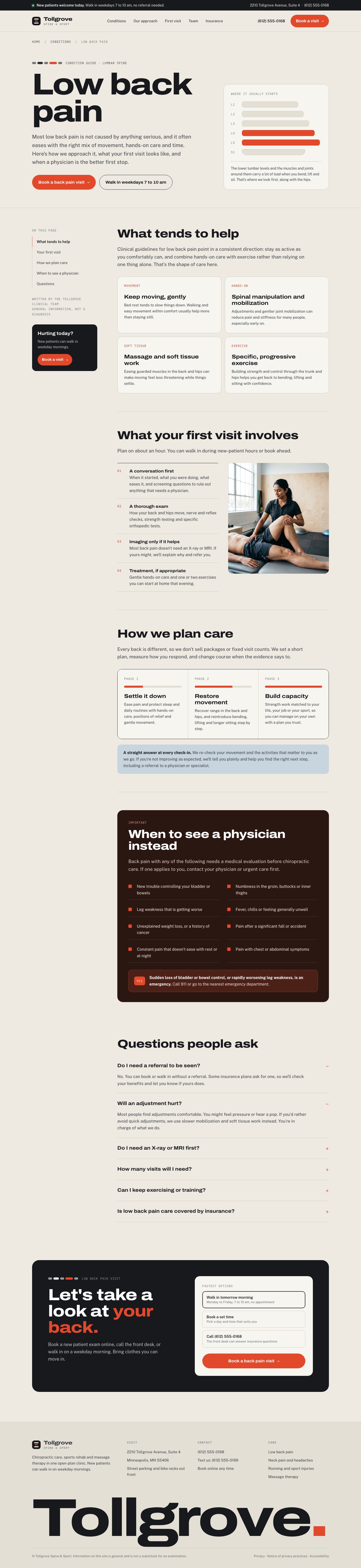
Tollgrove Spine & Sport
Chiropractic clinic website. Select a view to see the full design.


Frequently asked questions
Can new patients book online?
Yes, if your practice management software offers online booking. We connect it so people can book from any condition or service page. If you prefer phone booking, we make that the clear next step instead.
Do you build condition pages?
Yes. We design the page structure and your team supplies and approves the clinical content, so each page is accurate and avoids promising results.
Can the site handle more than one location?
Yes. Each office gets its own page with hours, directions, team members and services, set up so new locations are easy to add.
Can we add massage or rehab services?
Yes. Each service gets its own page and booking path, and team profiles show who provides it.
How much does a chiropractic website cost?
Every proposal is based on the actual scope: pages, locations, booking and forms, content and any migration. Tell us about your clinic and we will recommend a scope and send a clear proposal.
Tell us about your project
Share what you are planning, the platform you prefer and any timing. We will review it and follow up with the next step.