Imaging center and radiology website design
Imaging websites serve two audiences: patients scheduling a scan and physicians ordering one. Patients want to know how to prepare, how long it takes and where to go. Referring offices want fast ordering and results. We design and build imaging center and radiology websites for both, on WordPress, Webflow or Framer.
What an imaging website needs to do
Most visits are task-driven: schedule an exam, read preparation instructions, find a location, check insurance or access images and reports. Referring providers need order forms, protocols and contact details. The site should make each task obvious and keep instructions accurate across locations.
Pages most imaging centers need
- Exams: MRI, CT, ultrasound, X-ray, mammography and other services, with what to expect and how to prepare.
- Scheduling: how to book, what an order is and how to request an appointment.
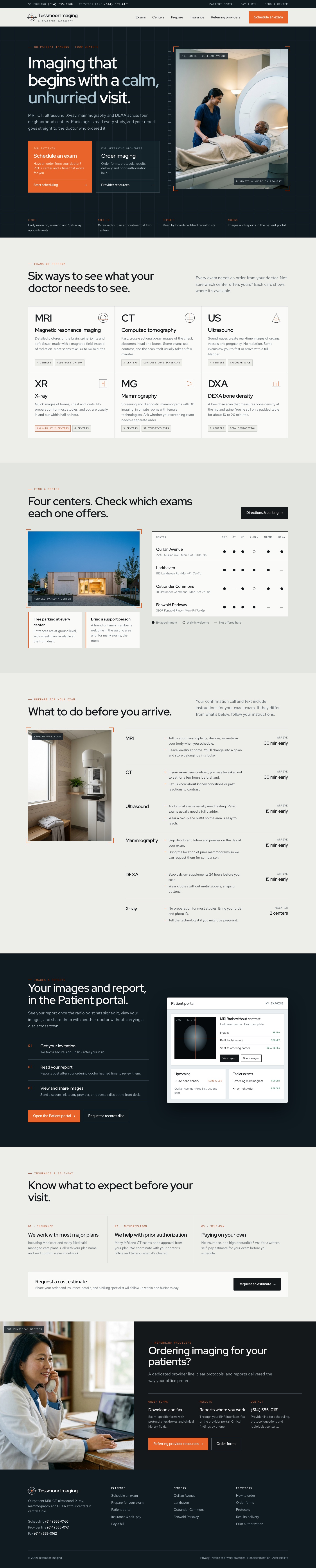
- Locations: each center with the exams it offers, hours and parking.
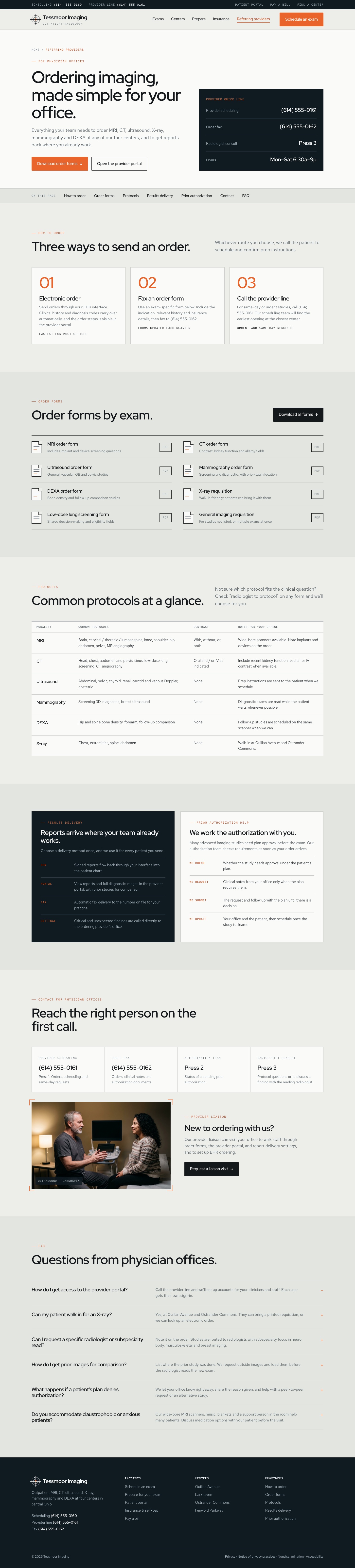
- Referring providers: order forms, protocols, results delivery and a contact for physician offices.
- Insurance and pricing approach: coverage, prior authorization and self-pay options.
- Patient portal: access to images and reports.
Structured exams and locations
Not every center offers every exam. We model exams and locations as linked collections, so each location page shows what it offers and preparation instructions stay consistent everywhere they appear.
Privacy
Scheduling and portals run in specialist systems. The website links to them clearly, and tracking stays off pages and forms where it could reveal health information.
Choosing a platform
WordPress suits radiology groups with many centers, exams and referring-provider resources. Webflow handles linked collections for exams and locations with a visual editor. Framer fits a single center that wants a clean, focused site. Compare the platforms.
How an imaging website project runs
- Define: we review your current site, exams, centers, scheduling and referral process, then agree the pages and who does what.
- Design: we design the patient and referring-provider paths with your team.
- Build and review: we build the site and its collections, connect scheduling and the portal and test it across devices.
- Launch and hand over: we launch, redirect old pages and show your team how to update exams, centers and instructions.
Tessmoor Imaging
Imaging center website. Select a view to see the full design.

Frequently asked questions
Can each location show only the exams it offers?
Yes. Exams and locations are linked in the CMS, so each center's page shows its own services and hours.
Can referring physicians download order forms?
Yes. A referring provider section holds order forms, protocols and contact details for physician offices.
Can patients schedule online?
Yes, where your scheduling system supports it. Otherwise a request form and a visible phone number lead the way.
How do you keep preparation instructions accurate?
Each exam's preparation lives in one place and appears wherever that exam is mentioned, so one update fixes every page.
How much does an imaging center website cost?
Every proposal is based on the actual scope: exams, centers, referring-provider tools, integrations and any migration. Tell us about your organization and we will recommend a scope and send a clear proposal.
Tell us about your project
Share what you are planning, the platform you prefer and any timing. We will review it and follow up with the next step.